Turn your data into a personalised video for every customer
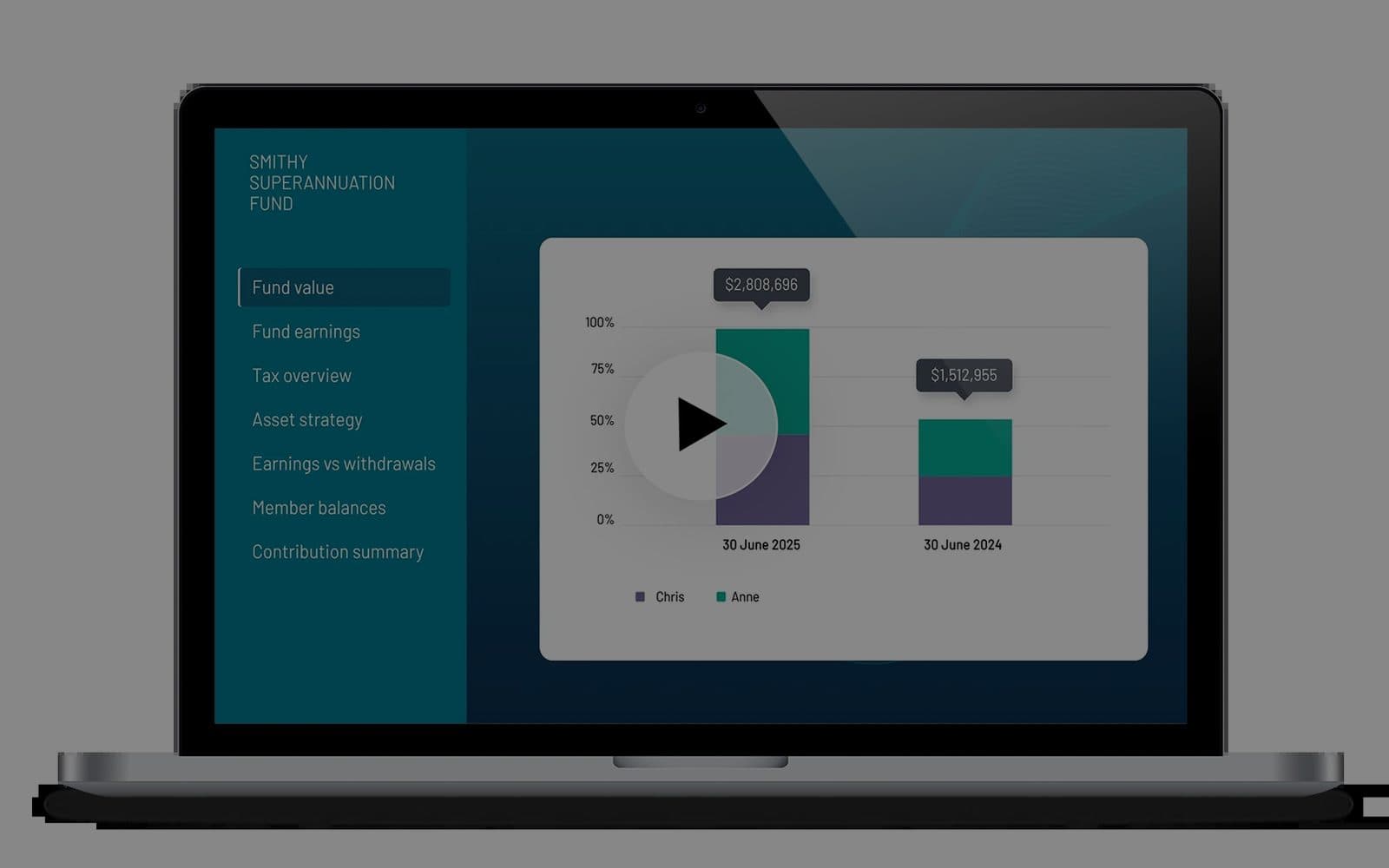
Numbers tell you the facts. Video tells the whole story. We turn the data you already hold on a customer, a client or a member into a short personalised video with AI narration, generated automatically and delivered at scale. Financial platforms listed on the Australian Securities Exchange use this to speak to every customer individually, with the security and compliance an enterprise expects.
Why a report nobody reads is a wasted report
A PDF statement or a dashboard puts the burden on the reader. Most never open it, and the ones who do skim the first page. A two-minute video that addresses the person by name, walks through their own numbers and points at the two or three things that matter is watched, understood and acted on. The same data, told properly.
Why AI-to-video is hard, and how we solve it
A language model cannot own liability. Left to itself it will round a figure, invent a trend or describe a chart that is not there, and in a financial report that is unacceptable. Our workflow separates the two jobs: the figures, charts and scene structure come directly from your data, and the AI only narrates what the data says. Every scene, every score and every line of commentary can be reviewed before a single video is rendered.
What the generator gives you
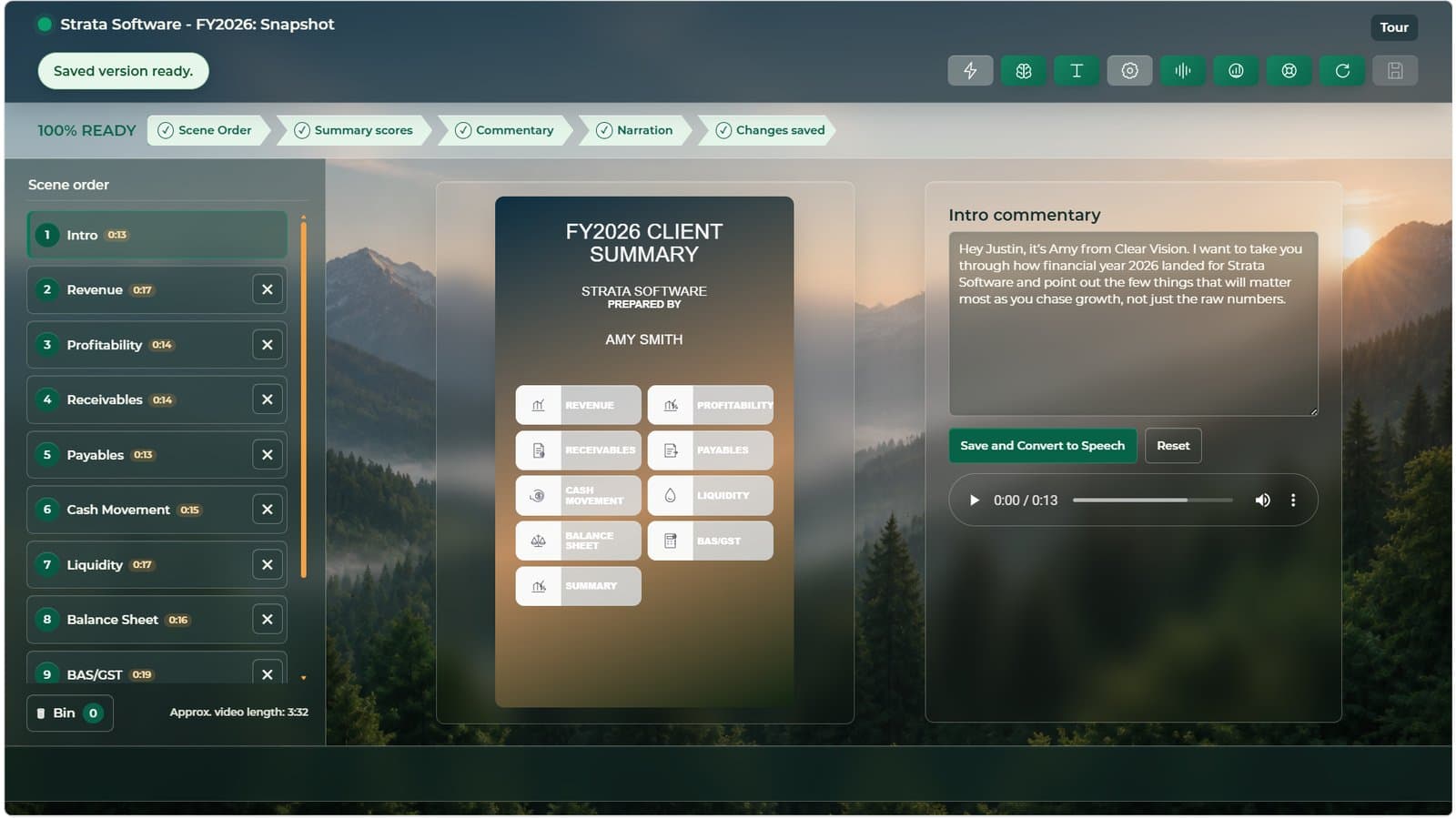
A dashboard where each report is a sequence of scenes: intro, revenue, profitability, receivables, payables, cash movement, liquidity, balance sheet, tax, summary. Each scene has its own commentary, which you can edit and convert to speech, and its own score. Reorder scenes, drop the ones a client does not need, and the video length updates as you go. When the checklist reads ready, one render produces the finished video with poster, captions and a personal introduction.
Where it fits
Accounting and advisory firms sending year-end or quarterly reviews. Investment and superannuation platforms reporting to members. Insurers explaining renewals and claims. Banks and lenders summarising a facility. Any business that holds structured data about a person and wants to speak to them about it in a way they will actually watch.
Security and compliance
Data stays in your environment or a dedicated tenant. Rendering runs on infrastructure you can audit, and the generated videos are stored and delivered under your own access controls. Nothing about a customer is sent to a public model to be trained on. The same controls that satisfied listed financial platforms apply to every deployment.
What it covers
One video per customer
Name, figures, charts and commentary are personal to each recipient. Thousands of videos from one template and one data feed.
Data-accurate by design
Figures and charts come straight from the data. The AI narrates; it does not calculate, estimate or improvise.
AI neural narration
Natural-sounding voice commentary generated from approved text, in the voice and tone you choose.
Scene-based editing
Reorder, remove or reword any scene. Approve the whole sequence before anything renders.
Delivered where they are
Email, WhatsApp, SMS or a portal link, with a poster frame and captions for viewing on mute.
Enterprise controls
Access control, audit trail and retention rules agreed before go-live. Built for regulated industries.
How it works
Data and story
We map the data you hold on each customer, agree which figures matter and design the scene sequence that tells the story.
Template and voice
Brand, layout, charts and narration voice are set up once. Commentary rules decide what the narration says for each scene and each situation.
Review
A batch is generated for review. Your team checks scenes, scores and commentary before anything is sent.
Automate
Reports render and deliver on the schedule you set: month end, quarter end, renewal date, or the moment a record changes.
Questions buyers ask
How do we know the numbers in the video are right?
Because the AI never touches them. Figures and charts are rendered directly from your data source. The model only writes and narrates commentary about values it is given, and that commentary is reviewable before render.
Can we edit the commentary?
Yes. Every scene has its own commentary box. Change the wording, convert it to speech, and listen back before you save.
What data sources does it connect to?
Accounting packages, practice management systems, CRM, spreadsheets and databases. If the data can be exported or queried, it can drive a video.
How long is a video?
Usually two to four minutes. Scenes can be dropped for a shorter cut, and the estimated length updates as you edit.
Is this the same as an avatar reading a script?
No. The video is built from your data as charts, scores and scenes, with a narrator over the top. There is no synthetic presenter unless you want one.
Can we see an example?
Yes. Two demonstration reports are on this page, and we will walk you through the generator on a call.
Book a platform briefing
A short call with an engineer. Tell us what data you hold on your customers and how you report to them today, and we will show you what a personalised video would look like from your own figures. Email sales@eigenstatesystems.com or message us on WhatsApp at +263 77 636 6999.